Download · v0.21.1
A Git client for Windows that isn’t a browser.
The x64 installer is built on WebView2, which Windows 10 and 11 already ship, so there is no bundled Chromium. The engine is Rust and libgit2 in the same process. It uses the git credential manager you already have, so a remote that works in your terminal works here.
The build is not signed with a code signing certificate yet, so SmartScreen calls the publisher unknown on first run. That is the only extra click.
Download for Windows AngKorGit_0.21.1_x64-setup.exe · x64 installer
First launch
- 01 Run the installer. SmartScreen shows Windows protected your PC. Click More info, then Run anyway. The .msi on the releases page behaves the same way and suits a managed machine better.
- 02 Open a repository from the welcome screen, or run angkorgit open . from a terminal after installing the command line tool under Settings, Git.
- 03 Nothing else. There is no account. Add a GitHub, GitLab or Bitbucket token under Settings, Authentication when you want pull requests in the sidebar.
From the terminal
Windows (PowerShell)
curl -L https://github.com/cheat2001/angkorgit/releases/download/v0.21.1/AngKorGit_0.21.1_x64-setup.exe -o "$env:TEMP\AngKorGit-setup.exe"
Start-Process "$env:TEMP\AngKorGit-setup.exe"
What you get
- A virtualized commit graph. Drag one branch onto another to merge or rebase
- Stage files, hunks or single lines. Commit drafts saved per repository
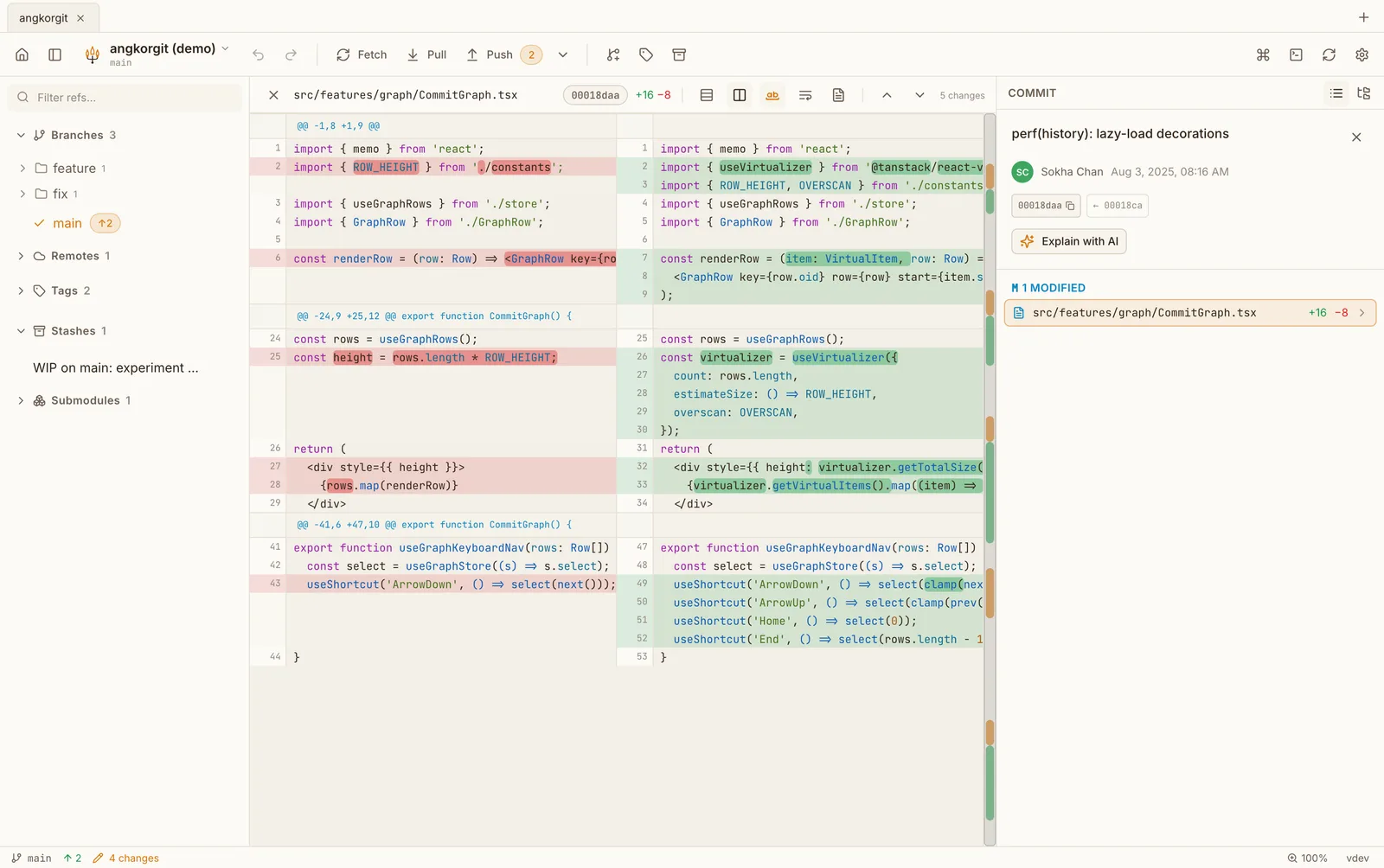
- Inline or side by side diffs with word level highlighting and a minimap
- A conflict resolver with both sides aligned and a result pane you edit in place
- Interactive rebase, cherry-pick, stashes, tags, submodules, worktrees
- Undo and redo for commits, checkouts, merges, rebases and resets
- Pull requests for GitHub, GitLab and Bitbucket: list, check out, create
- AI commit messages, explanations and reviews through the CLI you already have
- A ⌘K palette with every command, and a terminal per repository
- 16 themes, dark and light. No account, no telemetry
Questions
- Does it need Git for Windows?
- No. Git operations go through libgit2 inside the app. Git for Windows is still useful for the terminal panel and for the credential manager, and AngKorGit uses it when it is there.
- Will a terminal window flash when it runs git?
- No. Every child process the app starts is created without a console window. That was a real bug in an early release and it is fixed.
- Which Windows versions?
- Windows 10 and 11, x64. WebView2 comes with both. There is no ARM build yet.
- Does it work with SSH remotes?
- Yes, with the keys in your user .ssh folder. Ed25519 and RSA keys both work. A key with a passphrase needs the agent, and that path is less travelled on Windows, so tell me if it fails.