AngKorGit vs GitKraken
A GitKraken alternative that isn’t a browser.
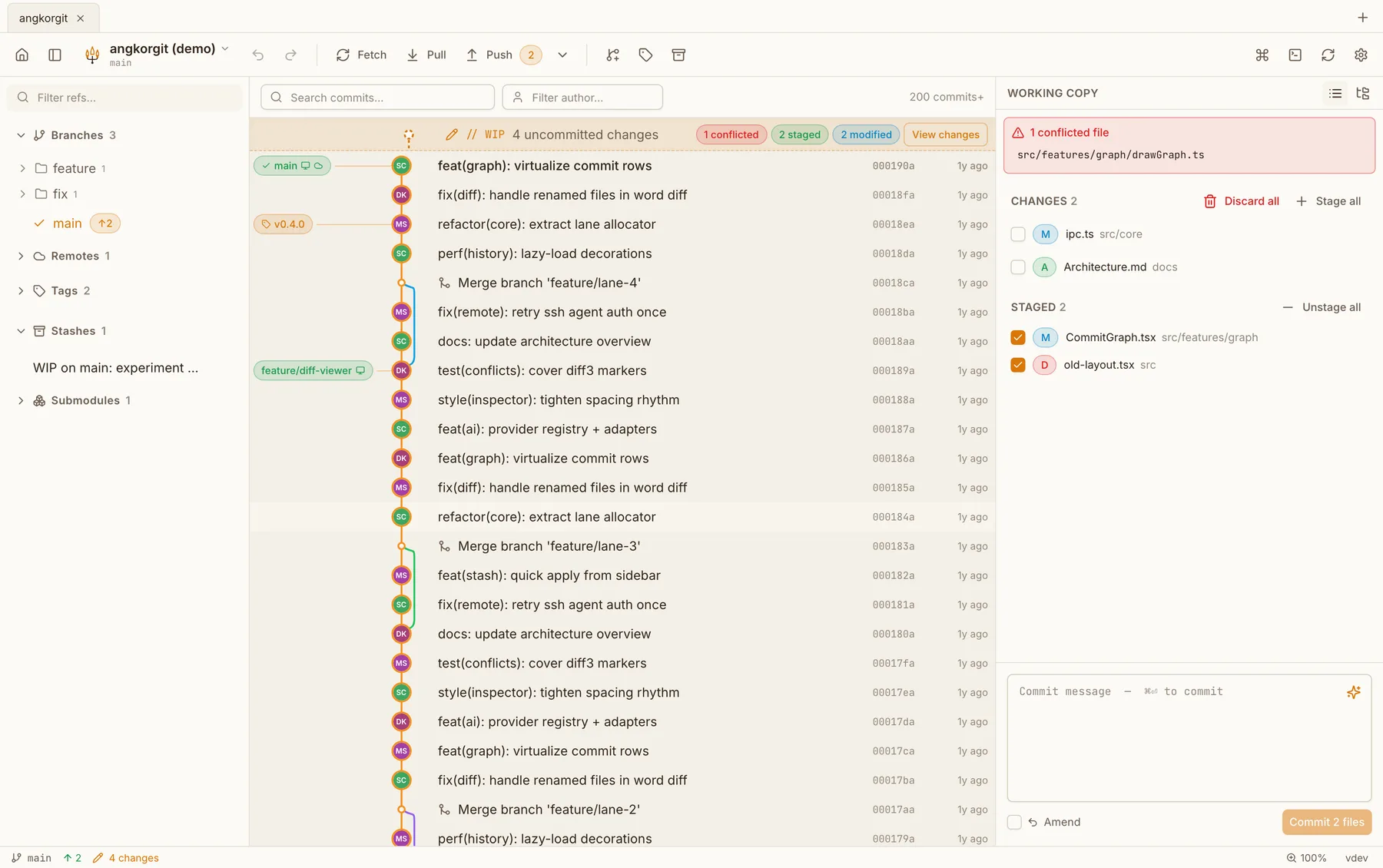
GitKraken is the client I learned the most from. The graph, dragging one branch onto another, undo for the scary operations, all of that is in AngKorGit because GitKraken showed it was the right way to work.
What I didn’t want was the rest of it. A sign-in before the first commit, a plan that decides whether my private repositories count, and a whole browser shipped inside the app. AngKorGit has no account and no plan. Private or public, it’s the same repository.
Side by side
| GitKraken Desktop | AngKorGit | |
|---|---|---|
| Platforms | macOS, Windows and Linux | macOS, Windows and Linux |
| Price | Free for local repositories and public remotes. Private remotes need a paid seat | Free, no tiers |
| Source code | Closed | Open source, MIT |
| Built with | Electron, a bundled copy of Chromium | Rust and libgit2 in one process, the webview your OS already ships |
| Sign-in | A GitKraken account | None. Open a folder and start |
What GitKraken has that I don't
- Pull request review inside the app, with comments and approvals
- Issue tracker integrations such as Jira and GitHub Issues
- Cloud workspaces and other team features
- Git LFS from the interface
What AngKorGit has that GitKraken doesn't
- Worktrees as first class: list them, open each one as a tab, create one from any branch
- AI that uses the CLI you already pay for (Claude Code, Codex, Gemini CLI, Copilot) or any API key. Commit messages, explanations, reviews
- A conflict editor where the result pane is a real editor with line numbers on both sides
- Identity profiles stored per repository, so switching profiles never rewrites your global gitconfig
- Commit signing through your existing git config, SSH or GPG, with nothing to set up in the app
Questions
- Do I need to migrate anything?
- No. A repository is a folder with a .git directory. Open it in AngKorGit and it’s all there. Your remotes, branches and stashes are plain git, nothing is stored in a proprietary format.
- Does it work with GitHub, GitLab and Bitbucket?
- Yes. Connect an account with a token and the sidebar lists open pull requests, you can check one out, and you can create one with reviewers without leaving the app. Reviewing itself stays in the browser on purpose, the forge does that better.
- Is there a paid tier coming?
- No. The whole thing is MIT licensed and on GitHub. If it saves you time there is a coffee link in the footer, and that is the extent of the business model.
Try it next to GitKraken
Version 0.22.0. Free, MIT licensed, no account, no telemetry. The app updates itself after the first install.