AngKorGit vs GitHub Desktop
GitHub Desktop, but with a graph.
GitHub Desktop is where a lot of people learn Git, and it does the simple flow well. It’s also free and open source, which I respect. The moment you need to see how branches relate, rebase interactively, or work against GitLab, it runs out of road.
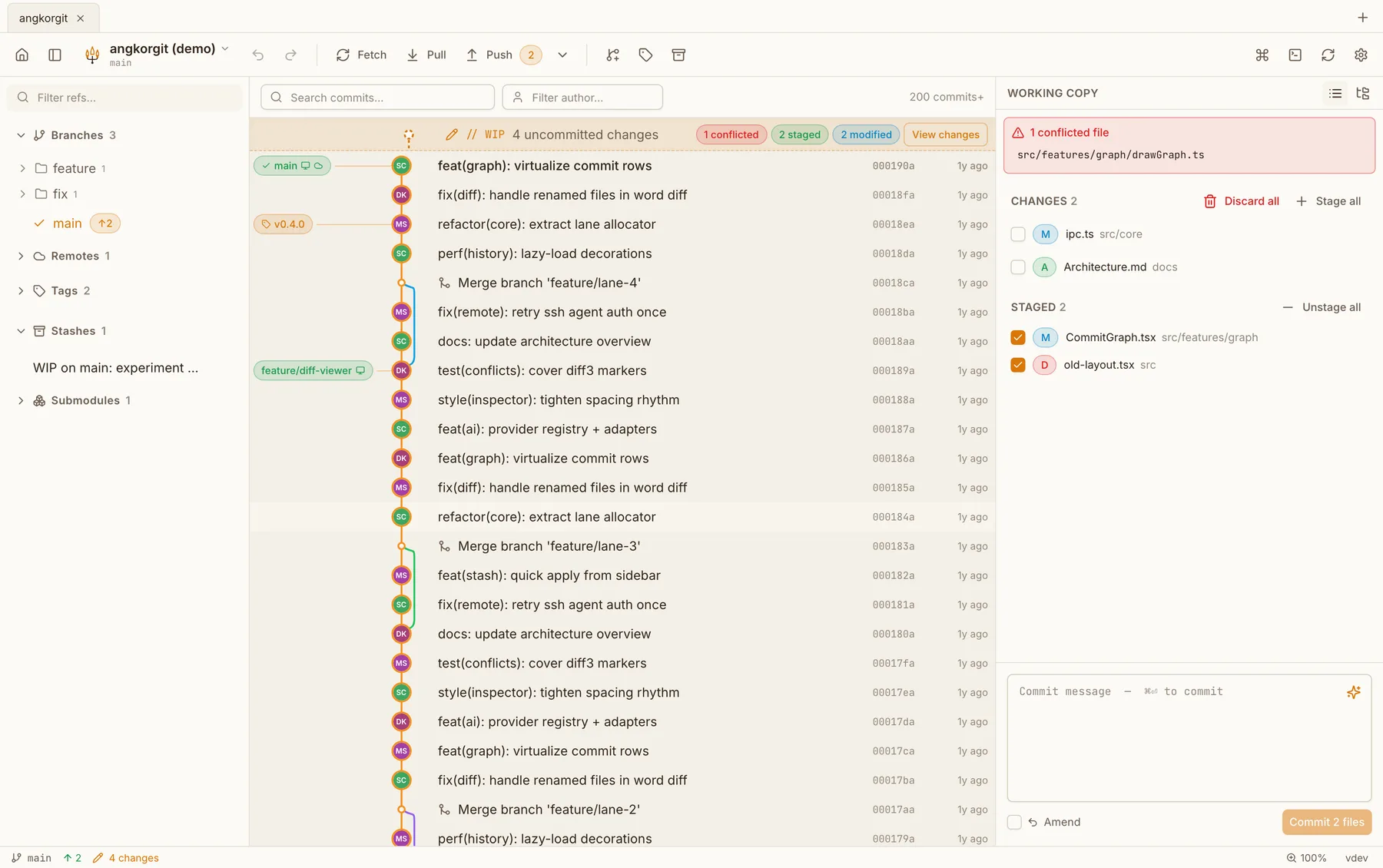
AngKorGit keeps the friendly parts, the confirmations before anything destructive, undo, plain wording, and adds the graph, the branch operations and the conflict editor that GitHub Desktop leaves out. It’s also the same app on Linux, not a community build.
Side by side
| GitHub Desktop | AngKorGit | |
|---|---|---|
| Platforms | macOS and Windows. Linux through a community build | macOS, Windows and Linux |
| Price | Free | Free, no tiers |
| Source code | Open source, MIT | Open source, MIT |
| Built with | Electron, a bundled copy of Chromium | Rust and libgit2 in one process, the webview your OS already ships |
| Sign-in | A GitHub account for anything beyond local repositories | None. Open a folder and start |
What GitHub Desktop has that I don't
- The tightest GitHub integration: notifications, checks, Codespaces
- A very gentle learning curve for a first repository
- Backing from GitHub, so it will be maintained for a long time
What AngKorGit has that GitHub Desktop doesn't
- A commit graph, virtualized, with drag one branch onto another to merge or rebase
- Interactive rebase, cherry-pick, worktrees, stashes with per-file restore
- GitHub, GitLab and Bitbucket pull requests in one client
- A conflict resolver instead of a hand-off to your editor
- An official Linux build, with AppImage, .deb and .rpm
Questions
- Is it harder to use than GitHub Desktop?
- There is more on screen, because there is more it can do. The everyday flow is the same: change files, tick them, write a message, commit, push. Destructive actions ask first and can be undone.
- Will my GitHub account work?
- Yes. Add it under Settings, Authentication with a token, classic or fine-grained. Pull requests then show in the sidebar, and pushes use the token from your system keychain.
- Do I need GitHub at all?
- No. AngKorGit works with any git remote over HTTPS or SSH, and with no remote at all.
Try it next to GitHub Desktop
Version 0.21.1. Free, MIT licensed, no account, no telemetry. The app updates itself after the first install.